Odoo AI Document Procesing
Smarter Document Handling with AI
Odoo’s AI Document Processing uses artificial intelligence to read, classify, extract, and route business documents, meaning you get accurate data in your system faster, with fewer errors and more automation.
Unlock the Power of AI in Managing Business Documents
Faster Data Entry
Improved Accuracy
Automated Classification & Sorting
Seamless ERP Integration
Boost Productivity
Eliminate Manual Filing
Stop manually downloading, renaming, and sorting incoming business files. Reduce human error and backlogs, to focus on business growth.
Zero-Click Ingestion: Fetch incoming attachments automatically using custom email aliases.
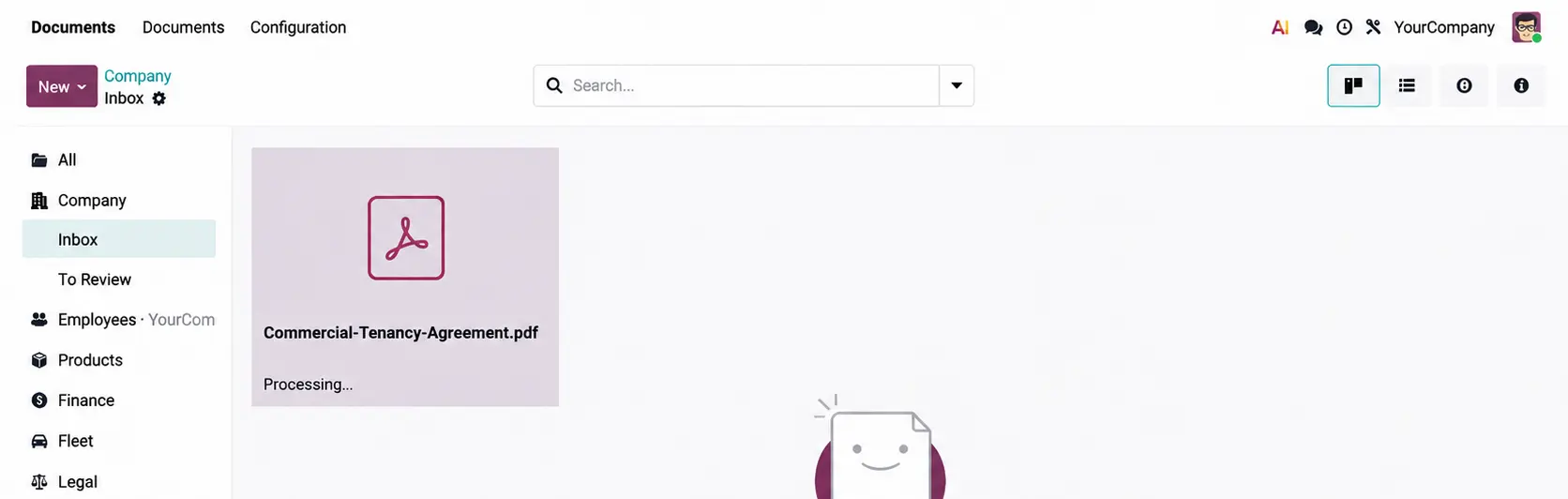
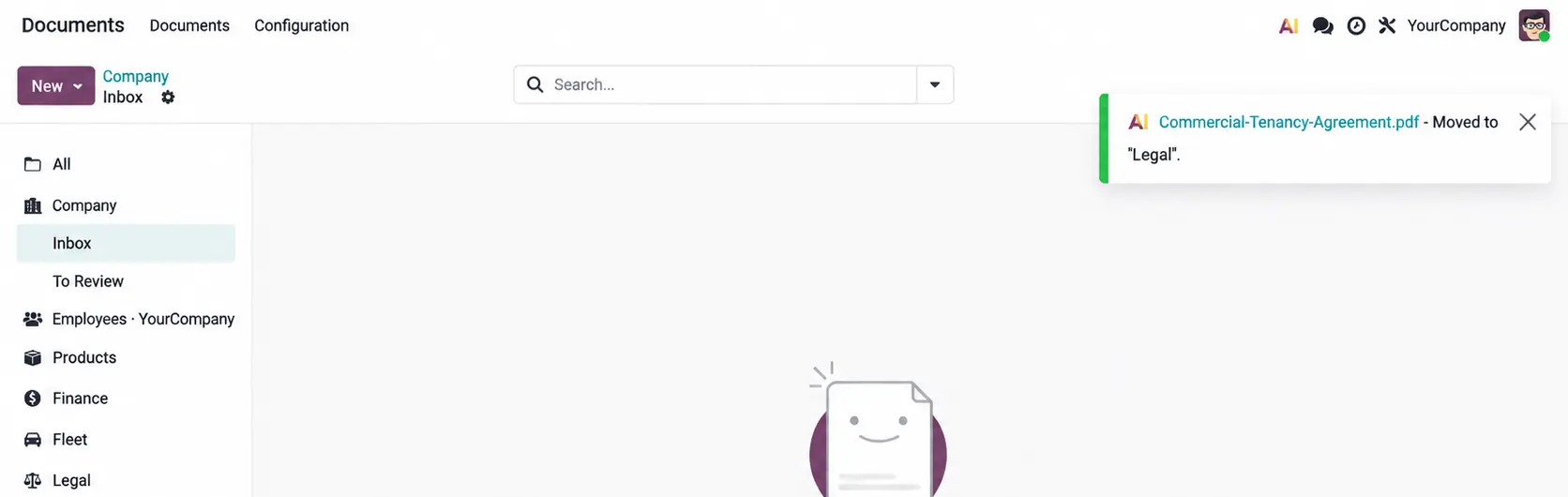
Instant AI Classification: Files are read, understood, and sorted into designated folders immediately.
No Pay-Per-Page Credits: Connect directly via API accounts (GPT/Gemini) without per-document billing.
Beyond Legacy OCR: True LLM context-reading visually scans and digitalizes complex context beyond simple character recognition.
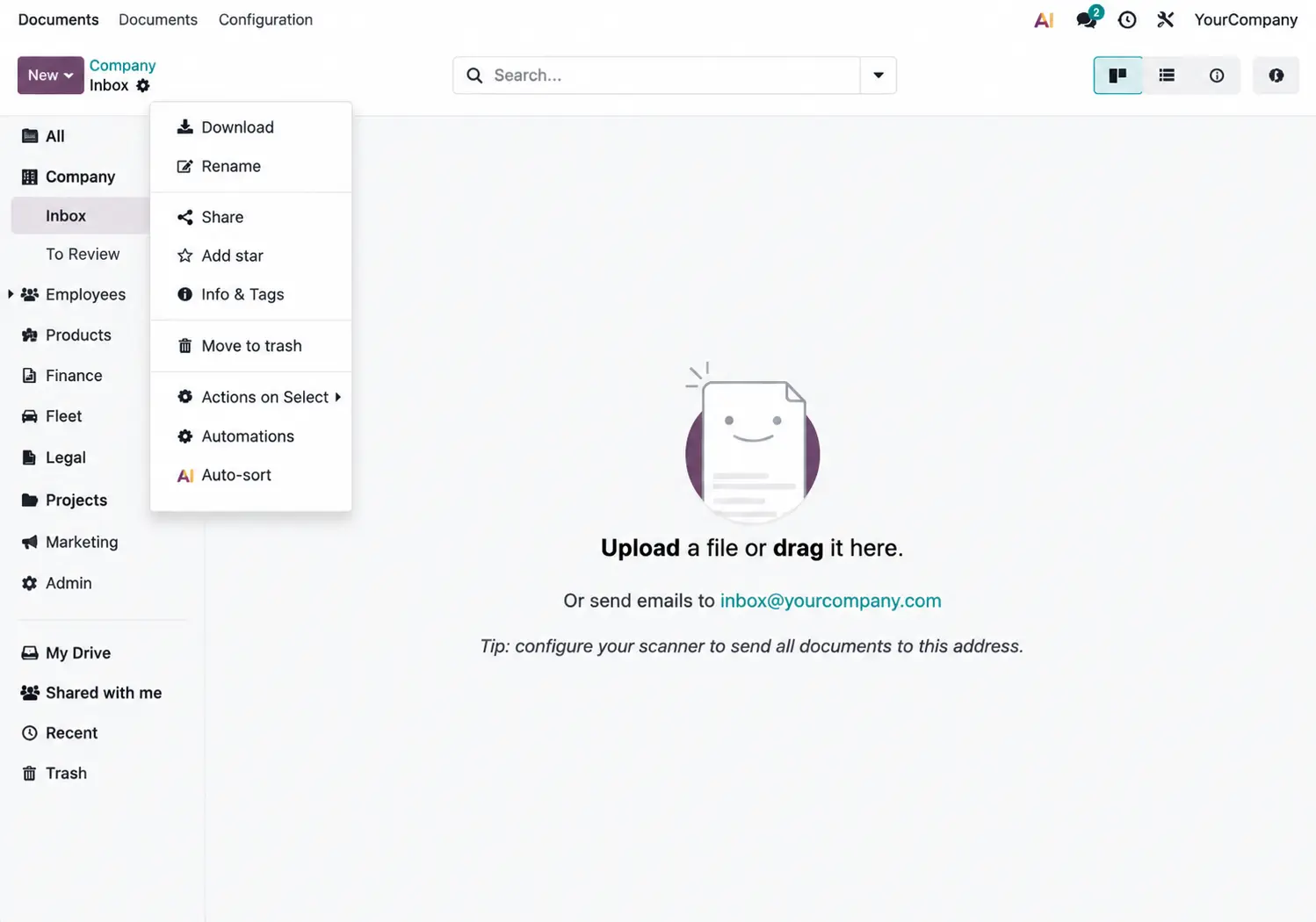
Intelligent Presorting (Inbox Rules)
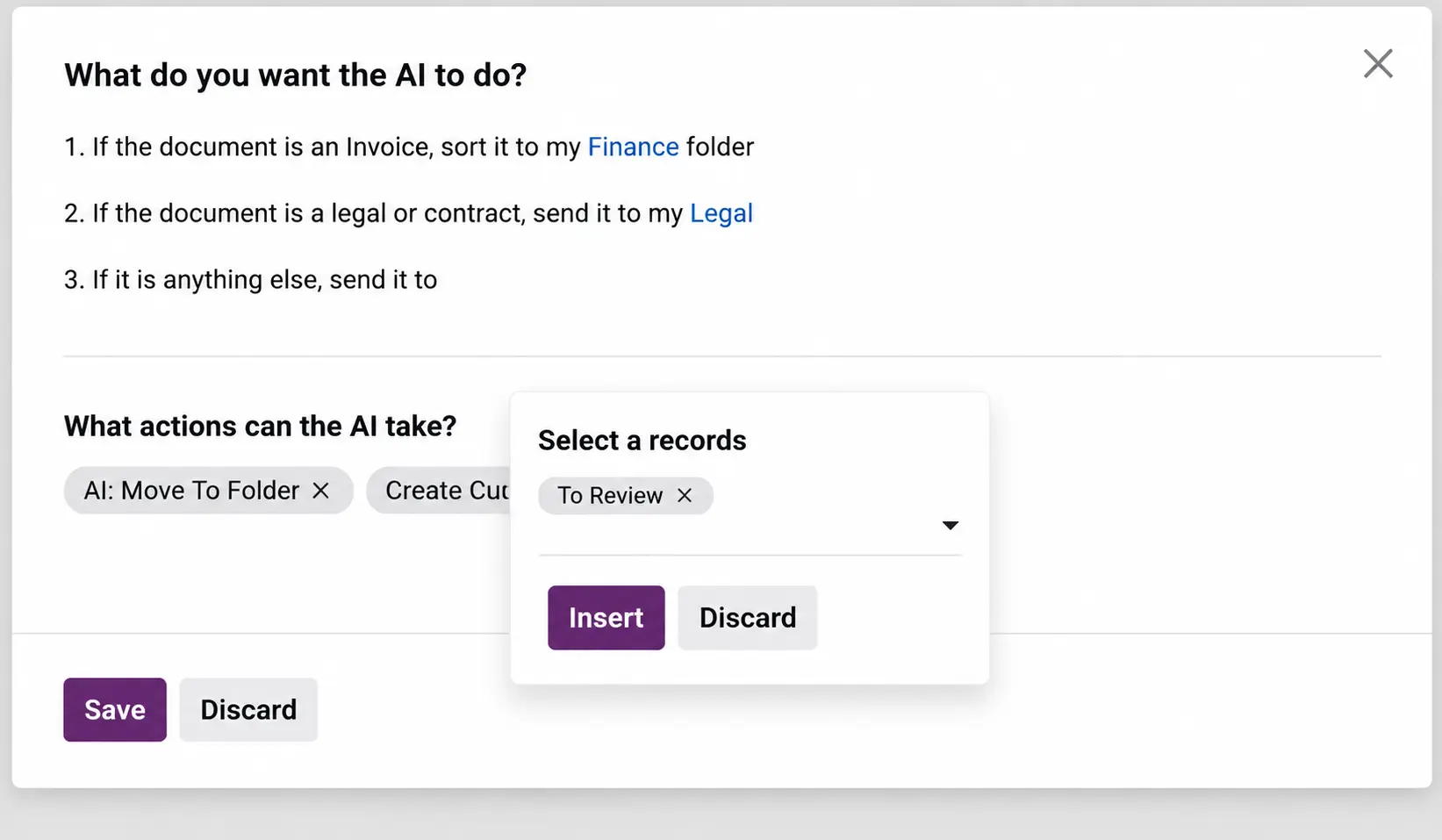
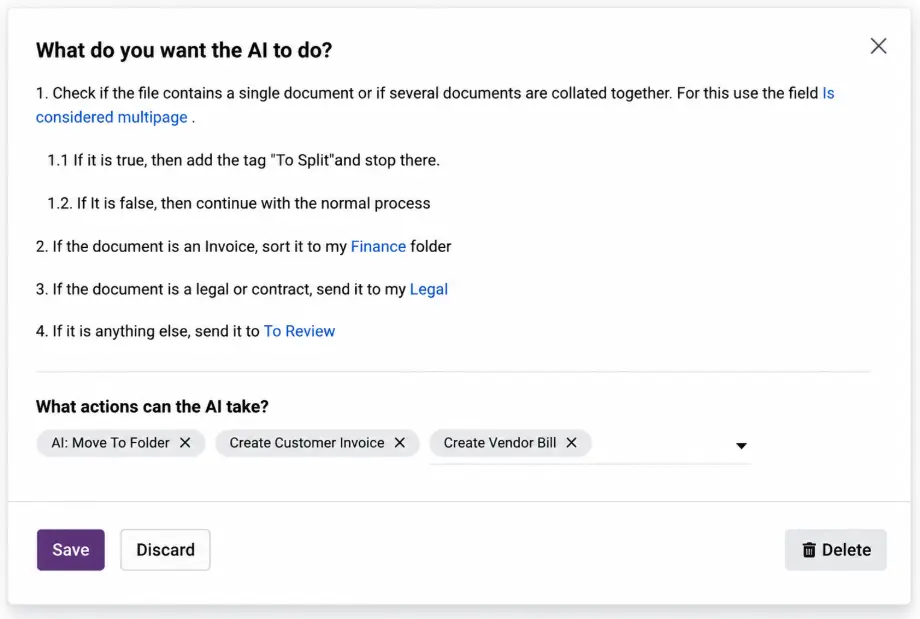
Instruct the AI to route documents to specialized corporate folders instantly, example;
Rule 1: Move invoices directly to Finance.
Rule 2: Route contracts or legal statements to Legal.
Rule 3: Route unrecognized files to a Human-in-the-Loop Review queue
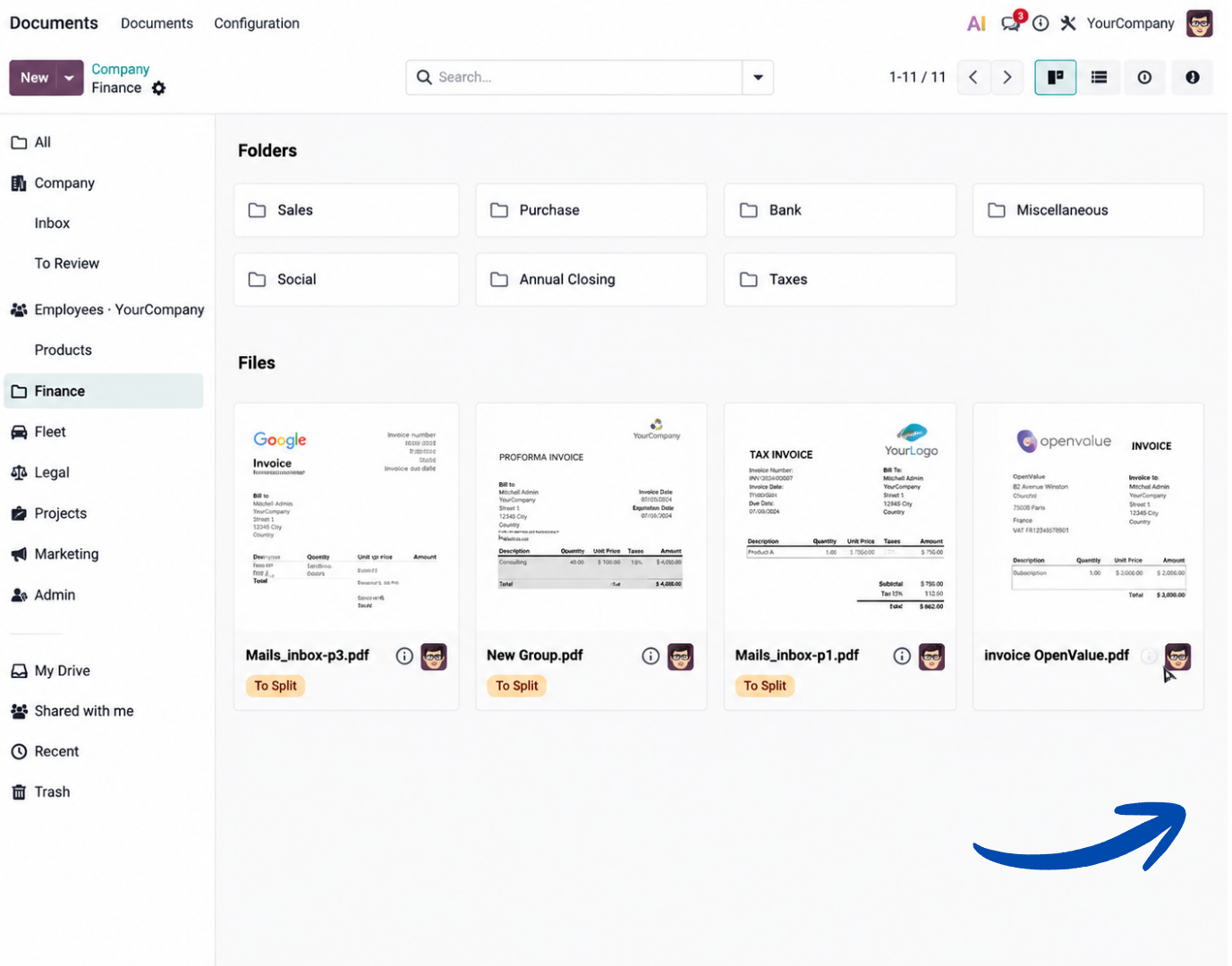
Multi-Page Splitting & Tagging
Handle bulk, combined multi-page PDF documents:
- AI checks the structural layout for multi-page properties.
- Automatically appends custom status tags like to split.
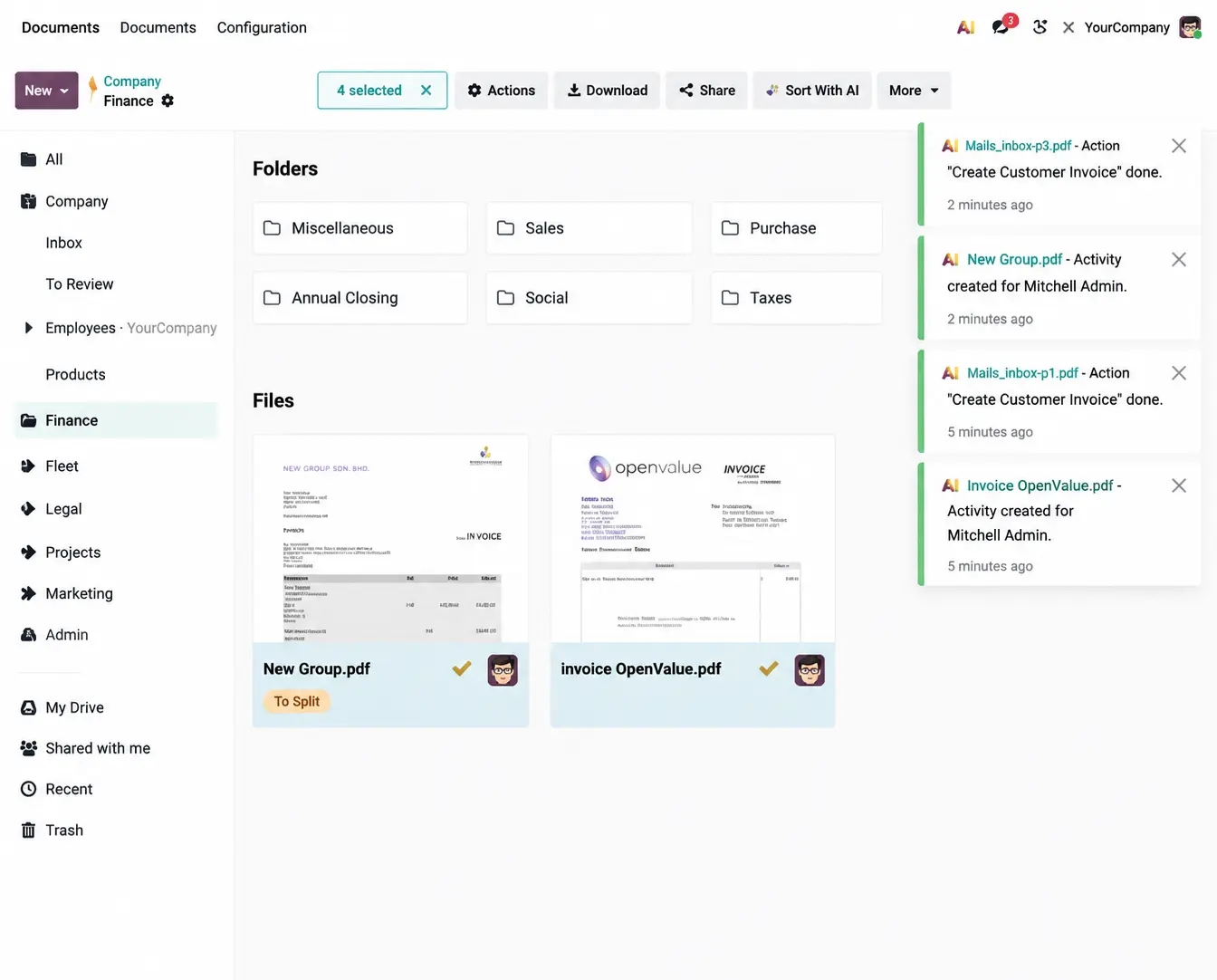
- Enables manual, visual workspace adjustments to break documents down instantly
Deep Financial Automation
Connect the sorting queue to live database actions like Vendor Bills or Customer Invoices, example:
Supplier vs. Customer Check: AI cross-references database entity names to create a draft bill or client invoice.
Safety Nets & Approvals: "If total exceeds €500, trigger a manager review activity and stop normal processing".
Missing Field Fallbacks: Automated fallback workflows flag documents missing clear dollar or euro totals
Benefits of Odoo AI: Document Procesing
Saves time by cutting out manual file sorting
Stops human errors when labeling and renaming documents
Speeds up processing to clear large backlogs quickly
Saves money by avoiding per-page document credit fees
Keeps data safe with strict folder access controls
Ensures accuracy by keeping humans in the loop
Our Process
Discovery
We learn about your business, industry, current process, and key challenges.
Analysis
We review your workflow and identify improvement areas, system needs, and possible risks.
Recommendation
We propose the right Odoo modules, structure, and implementation direction based on your business requirements.
Planning
We help you prepare for implementation, optimization, or system enhancement.
Ongoing Advisory
As your business grows, we continue to provide guidance for improvement and scalability.
All the features done right
Collaborate
Share and work simultaneously.
Conditional formatting
Effortlessly detect critical issues and identify patterns and trends.
Formulas
Access an easy menu with all the needed formulas.
Smart filters
To help you find the needle in the haystack.
Charts
Transform your data into visual representations.
Why Choose SL Software?
Practical Training
We focus on real usage, not theory.
Simple & Clear Explanation
We make complex processes easy to understand.
Tailored to Your Business
Training is based on your workflow.
Ongoing Support
We help your team even after training ends.

Instant Insights for Every Business Decision
Odoo’s Dashboard & BI Reporting is designed for speed and clarity, enabling your team to access real-time data instantly, build customized dashboards, track key metrics, and make informed decisions
Ready to Transform Document Workflows?
Move beyond manual data entry, reduce errors, and accelerate your business processes with AI Document Processing.