Odoo Workflow Automation
Streamline Your Business Processes with Ease
Automate approvals, task assignments, and notifications to save time, reduce errors, and boost team efficiency across your business.
Why Businesses Need Workflow Automation
Automate repetitive tasks to save time and reduce errors
Standardize processes across teams for consistency
Ensure tasks are completed on time with automatic reminders
Streamline approvals and reduce bottlenecks
Improve collaboration by connecting processes across departments
Free your team to focus on higher-value activities
AI-Assisted Workflows
AI automates repetitive business processes and coordinates tasks across teams. This reduces manual work, ensures consistency, and speeds up operations.
Long message for ticket?
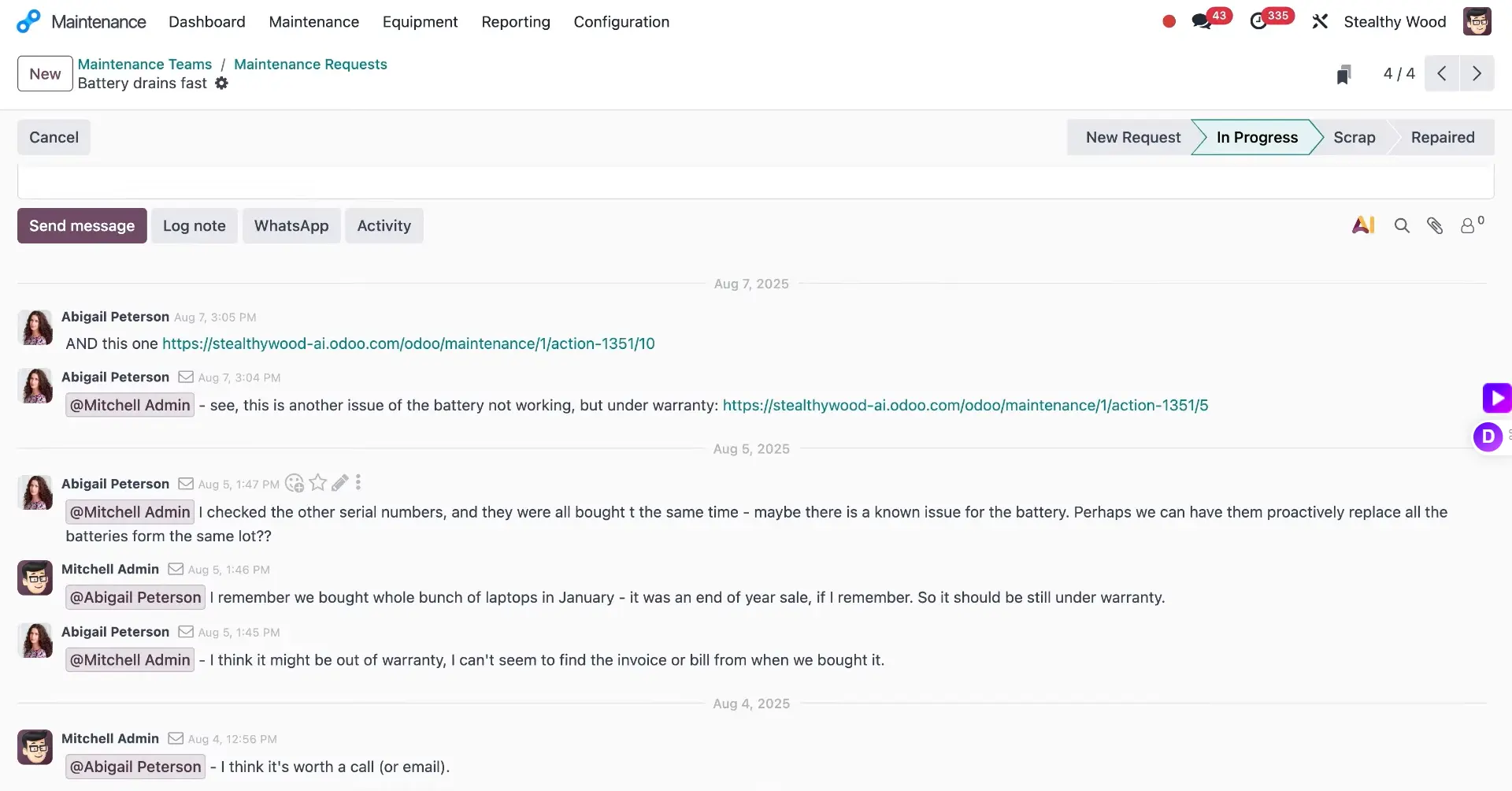
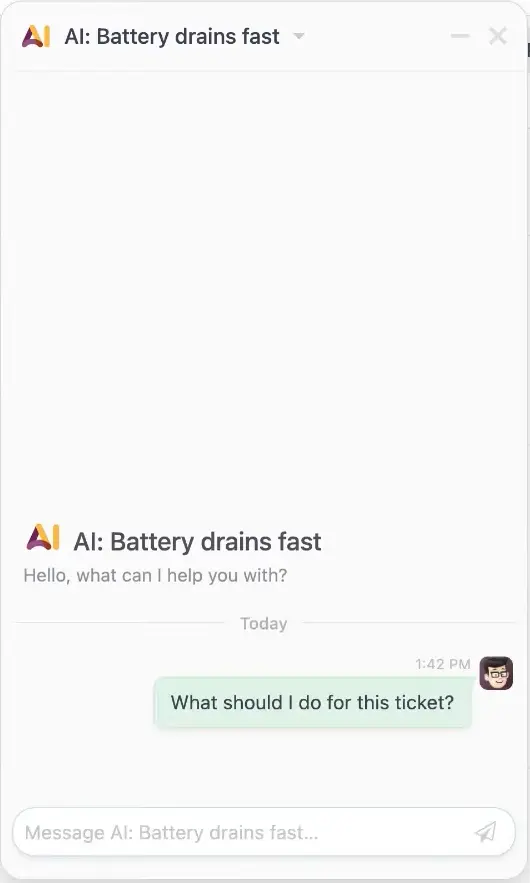
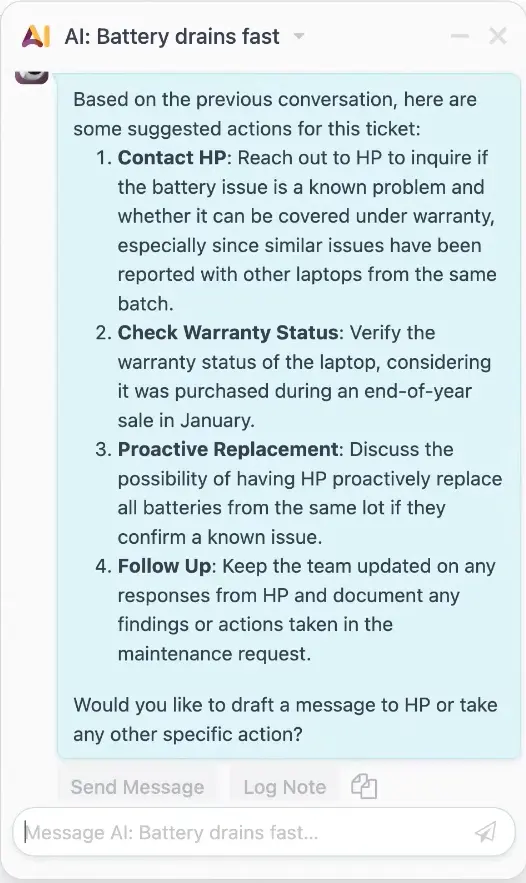
Ask AI what you should do
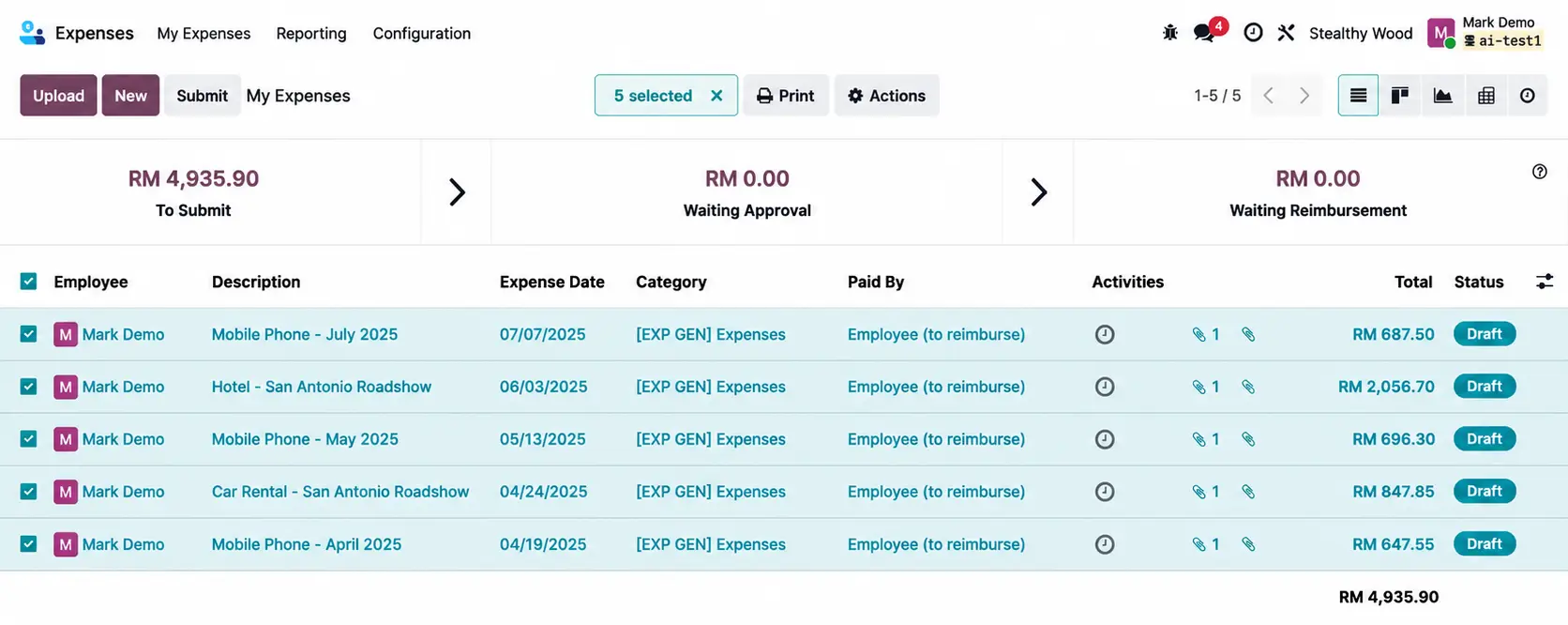
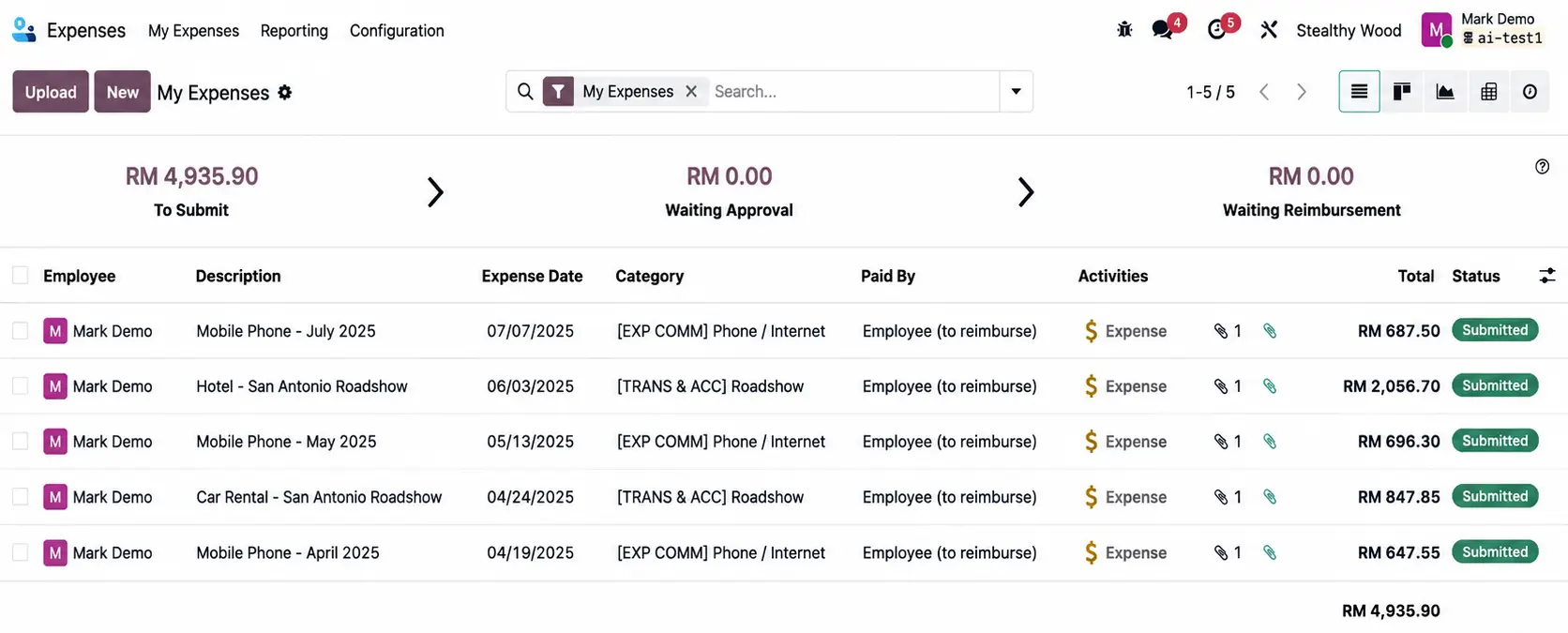
Automatic Expense Categorization
AI automatically categorizes expenses from receipts and invoices. This saves time, reduces errors, and keeps accounting data organized.
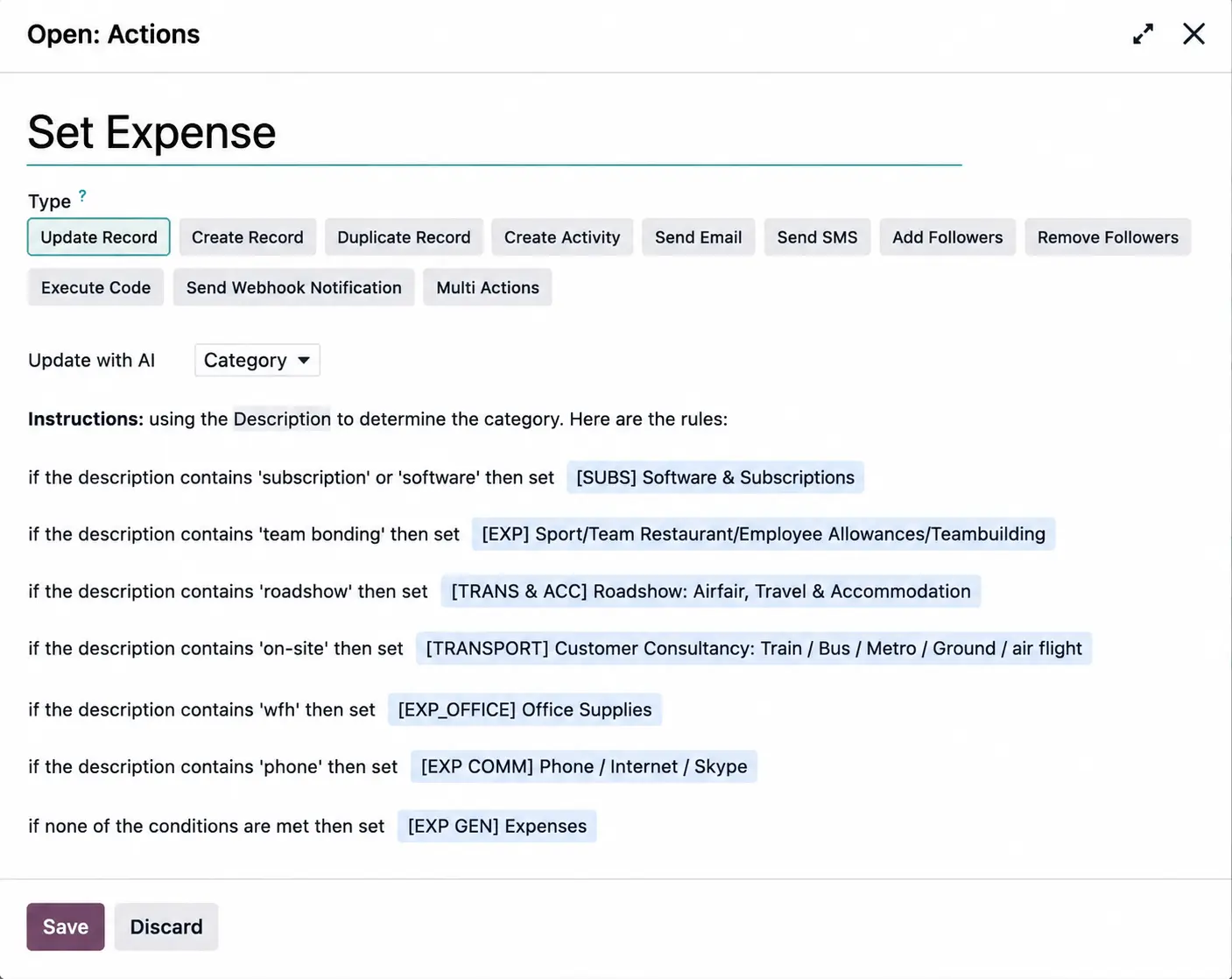
Instruct your AI
Your expenses automatically categorize
Timesheets Description QC with AI
AI reviews timesheet entries for accuracy and completeness. It ensures quality control, improves reporting, and reduces manual verification.
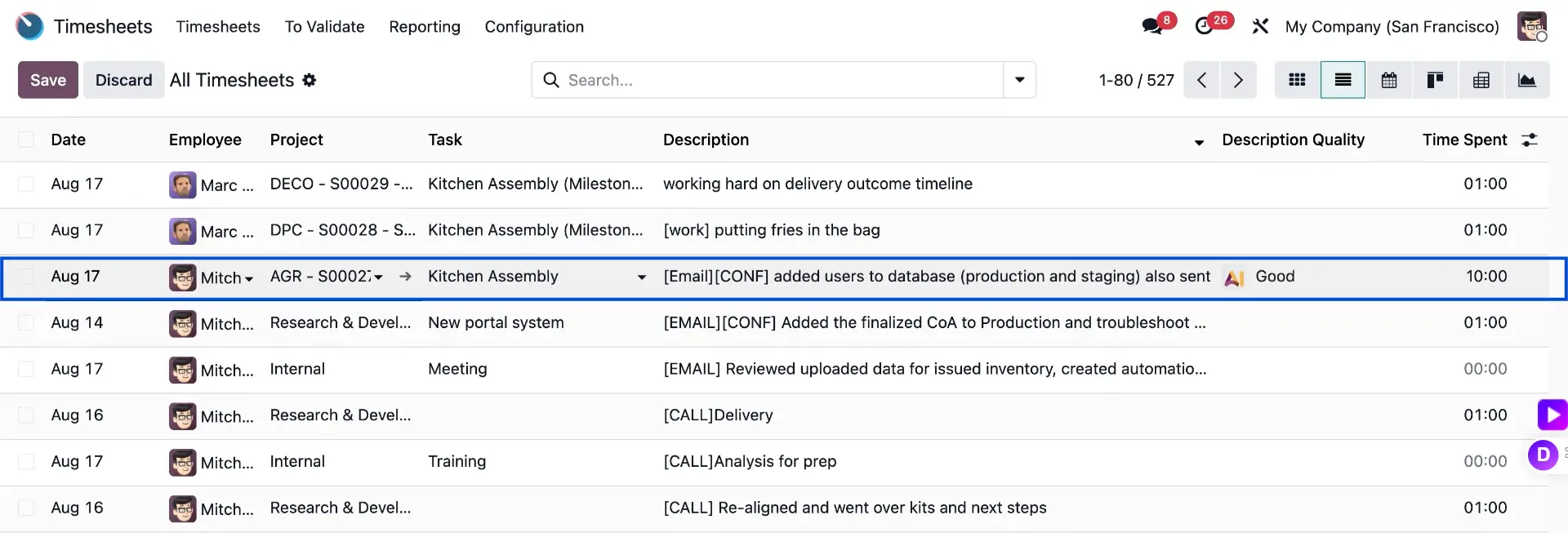


Assign your AI to reviews timesheets
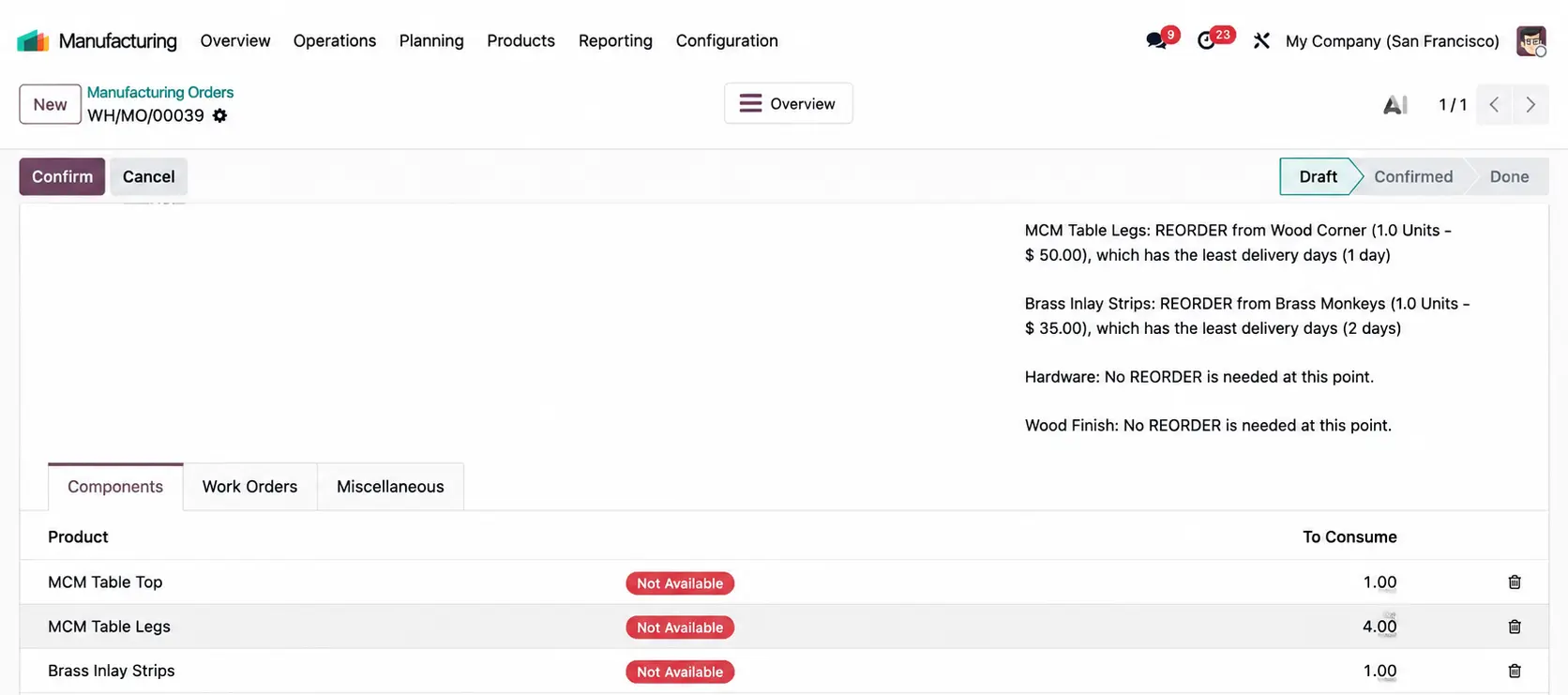
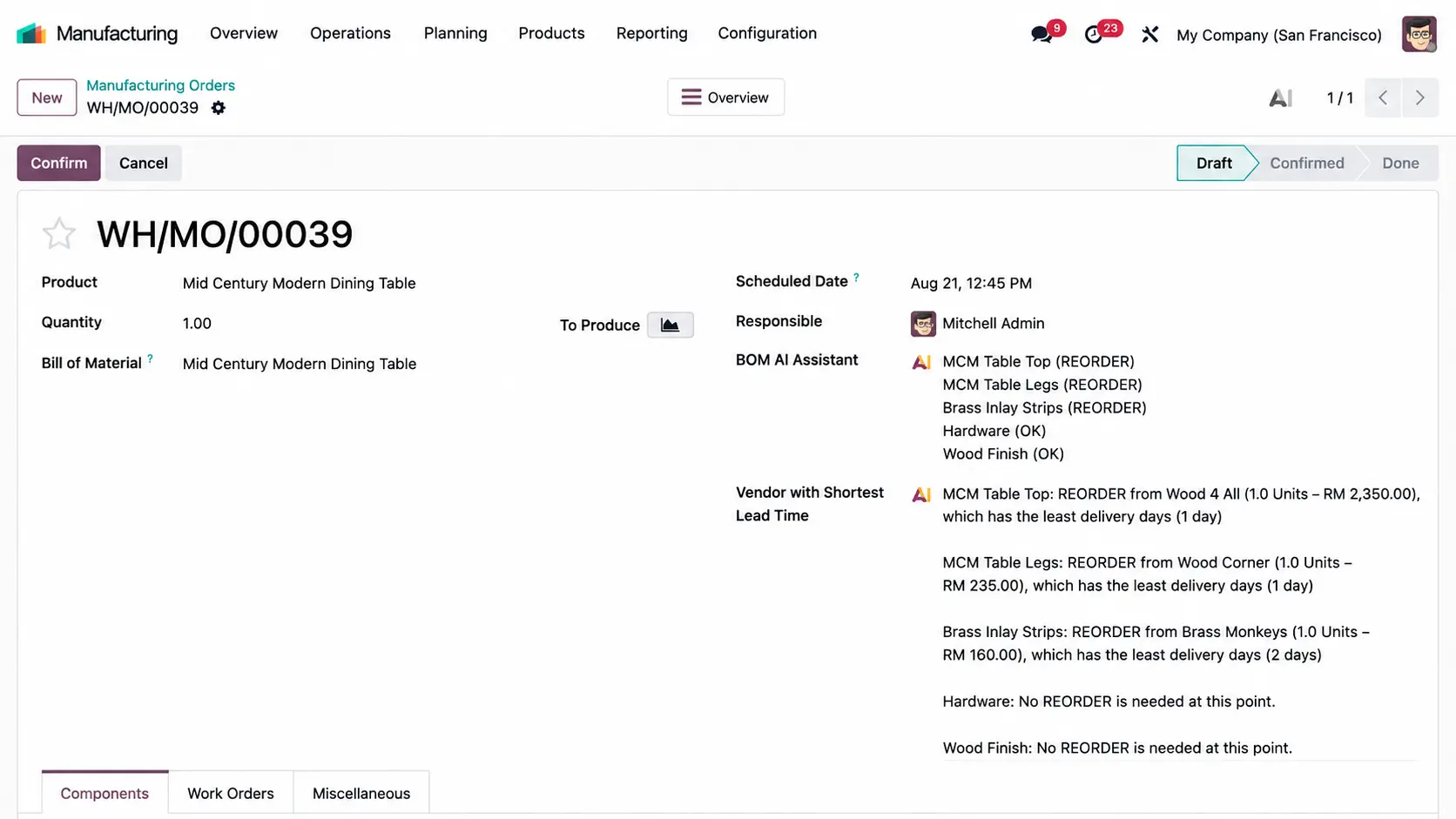
AI BoM Component Monitoring
AI monitors Bill of Materials components for production accuracy. It tracks usage, identifies discrepancies, and helps prevent production errors.
Benefits of Odoo AI Workflow Automation
Faster task completion and reduced manual effort
Increased efficiency across the organization
Consistent processes and fewer mistakes
Better visibility into work progress and approvals
Improved collaboration and accountability
Scalable processes that grow with your business
Our Process
Discovery
We learn about your business, industry, current process, and key challenges.
Analysis
We review your workflow and identify improvement areas, system needs, and possible risks.
Recommendation
We propose the right Odoo modules, structure, and implementation direction based on your business requirements.
Planning
We help you prepare for implementation, optimization, or system enhancement.
Ongoing Advisory
As your business grows, we continue to provide guidance for improvement and scalability.
All the features done right
Automated Task Assignment
Assign tasks automatically based on roles, skills, or workload to ensure the right person handles the right task.
Approval Workflows
Set up multi-step approval processes for purchase orders, expenses, or requests to ensure compliance and faster approvals.
Notifications & Reminders
Send automated notifications and reminders for pending tasks or approvals to keep everyone on track.
Process Standardization
Standardize workflows across teams to maintain consistency, reduce errors, and streamline operations.
Integration with Odoo Apps
Connect workflows across Odoo apps like CRM, Sales, Inventory, and Accounting for seamless operations.
Real-Time Tracking & Reporting
Monitor workflow progress with dashboards and reports to identify bottlenecks and improve efficiency.
Why Choose SL Software?
Practical Training
We focus on real usage, not theory.
Simple & Clear Explanation
We make complex processes easy to understand.
Tailored to Your Business
Training is based on your workflow.
Ongoing Support
We help your team even after training ends.
Automate, Streamline, and Scale
Odoo’s Workflow Automation helps businesses automate repetitive tasks, enforce standardized processes, and improve team collaboration, all while freeing up time for higher-value work.
Streamline Your Business Processes with Ease
Automate approvals, task assignments, and notifications to save time, reduce errors, and boost team efficiency across your business.