Scale Your Business Efficiency with the Right AutoCount Modules
Right-Sized Business Software for Your Actual Workflow.
Stop paying for complex software systems you do not use. Build a practical, integrated system using specific AutoCount modules tailored to your operational needs, compliance rules, and growth goals.
Understanding AutoCount Modules
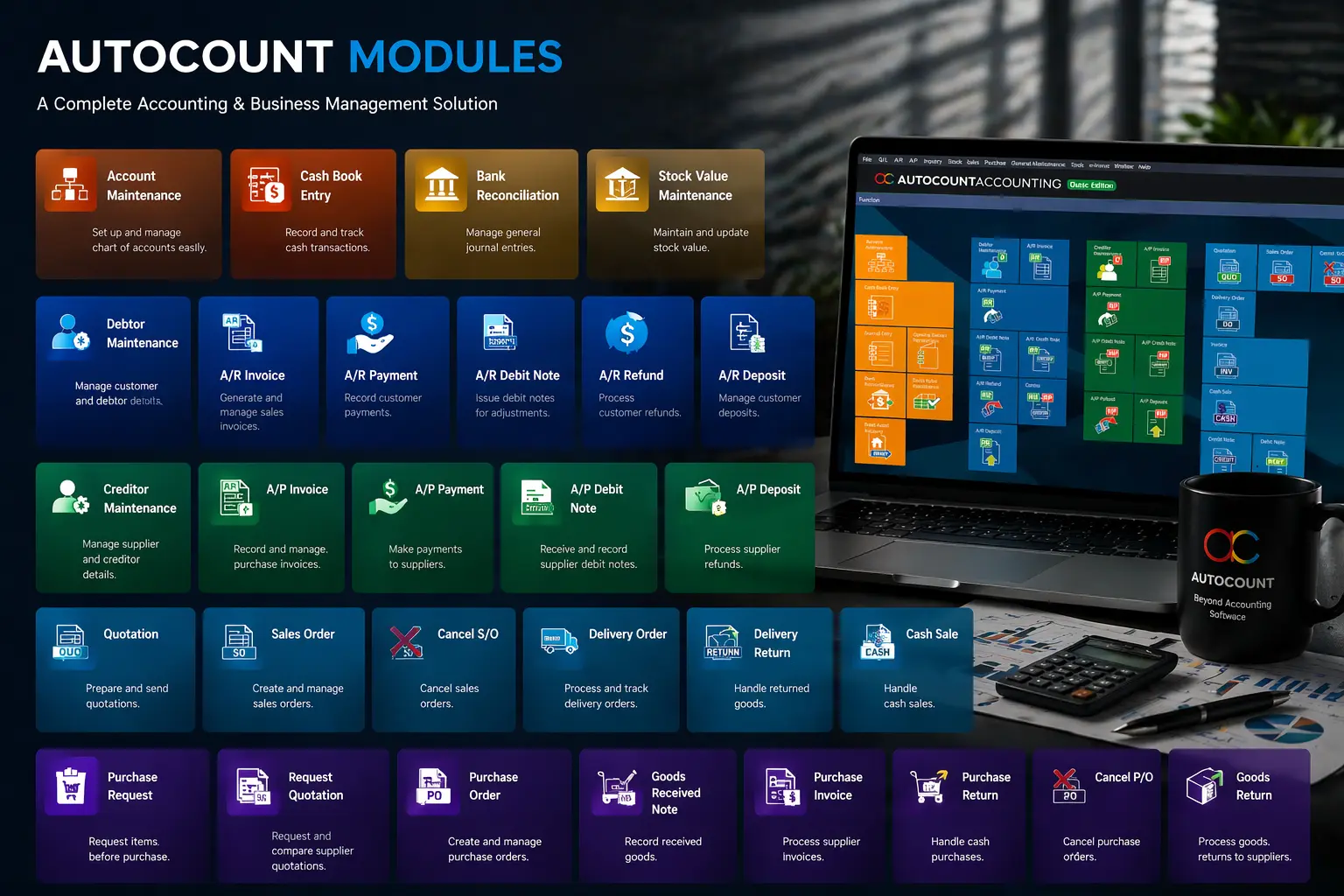
An AutoCount Module is a feature add-on designed to extend the functionality of your AutoCount Accounting System. Instead of a one-size-fits-all platform, AutoCount uses a modular approach allowing you to add only the tools your business truly needs.
Each module enhances a specific function such as inventory control, accounting, point-of-sale, payroll or reporting, giving you the flexibility to customize and scale your accounting solution as your company grows.
Why Choosing the Right Module Matters
Using software that does not match your business reality creates heavy operational friction. Many businesses start with basic spreadsheets or rigid software, only to face immediate growth bottlenecks:
Isolated Data
Sales teams cannot see live warehouse stock levels, causing delivery delays.
Manual Double Entry
Manually copying data from operations to accounting creates costly mistakes.
Compliance Stress
Lacking built-in tools to handle Malaysian LHDN e-Invoicing smoothly.
Management Blind Spots
Waiting weeks for compiled monthly reports instead of viewing real-time data.
How AutoCount Modules Support Your Entire Team
An integrated business system breaks down walls between departments, improving workflow efficiency across your whole organization:
Management & Directors
Get clear, real-time dashboards to monitor profit margins, cash flow, and market trends.
Finance & Accounts
Automate recurring entries, simplify bank reconciliations, and handle tax filings cleanly.
Sales & Procurement
Issue quotes instantly, track customer credit limits, and optimize purchase orders based on real history.
Operations & Logistics
Track stock movements across multiple warehouses and maintain accurate inventory valuation.
HR & Administration
Process accurate payroll, manage statutory contributions (EPF, SOCSO, EIS, PCB), and track leave.
Integration with AutoCount Plugins
Modules work seamlessly with Plugins (specialized extensions like e-invoicing, WhatsApp integration, and payment gateways) to create an end-to-end automated solution.
Explore 50+ Add-on Modules
Search, filter by function (Finance, Inventory, Integration), and discover the exact AutoCount module that will streamline your business operations.
How to Choose the Right AutoCount Modules for Your Business
You do not need to buy every module. Your ideal system setup depends entirely on your industry and current operational scale:
Popular AutoCount Modules
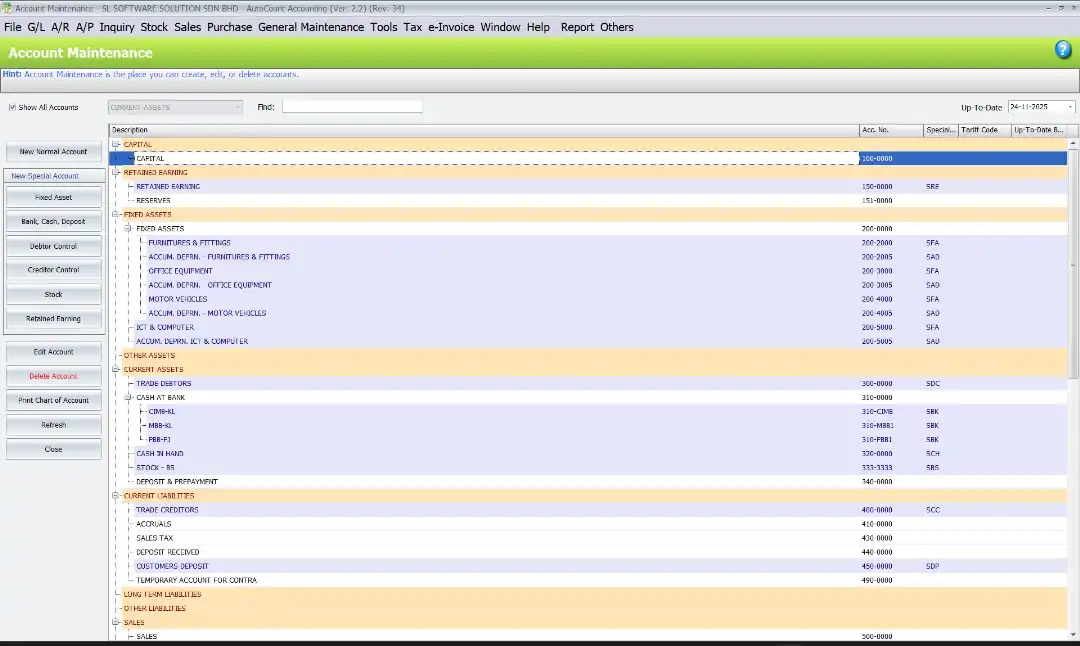
Accounting & Finance Modules
GL (General Ledger): Manage ledgers, journals, and account statements effortlessly.
AR & AP (Receivable/Payable): Track invoices, collections, and supplier payments with real-time visibility.
Multi-Currency Module: Handle international transactions and automatic currency conversions.
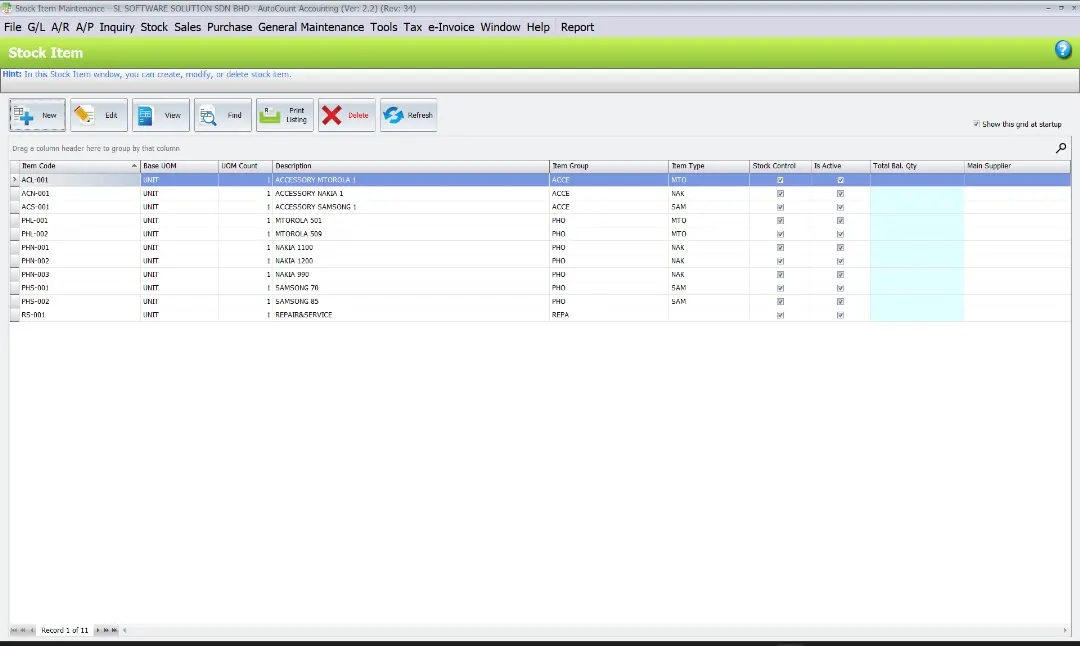
Inventory & Stock Management
Inventory Control: Manage stock levels, track movements, and prevent overstocking or shortages.
Serial Number & Batch Tracking: Ideal for manufacturing or distribution businesses requiring detailed traceability.
Multi-Location Stock Module: Monitor and transfer stock between branches with ease.
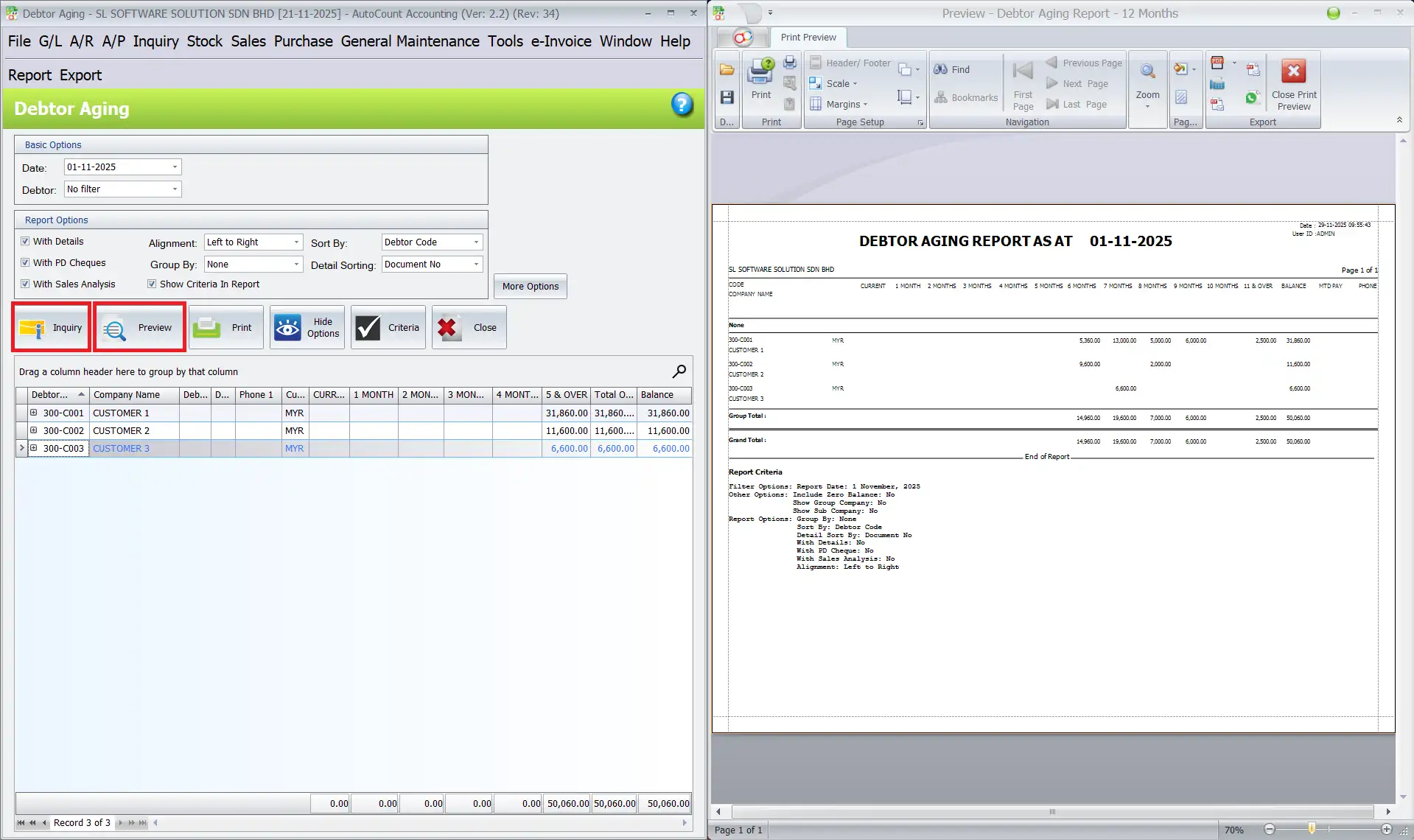
Sales & Customer Relationship
Sales Order Processing: Automate quotation to invoice workflows for faster transactions.
Customer Pricing Module: Customize pricing for loyal or bulk customers quickly and accurately.
Debtor Aging Analysis: Keep track of overdue accounts with visual reports to optimize cash flow.
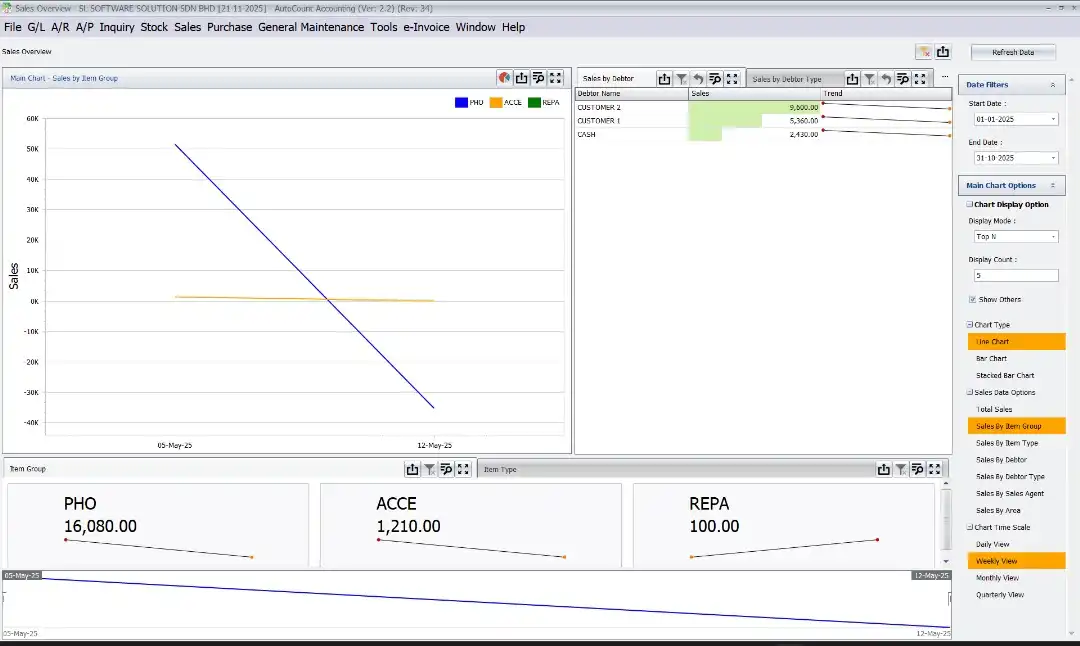
Reporting & Business Intelligence
Custom Report Writer: Design and generate reports that fit your exact business KPIs.
Dashboard Analytics: Get real-time insights on sales, expenses, and cash flow via interactive dashboards.
Audit Trail Module: Track changes made by users for full accountability and compliance.
Why Choose SL Software?
Workflow Mapping
We configure the software to match your specific business procedures, rather than forcing you to change how you work.
Data Migration
We securely move your legacy customer data, supplier records, and opening balances into AutoCount.
Practical Training
We conduct hands-on training sessions using local Malaysian business examples for your accounts, sales, and warehouse teams.
Reliable Support
Access fast technical assistance and ongoing system updates to keep up with local regulatory updates.
Frequently Asked Questions
What is an AutoCount module?
An AutoCount module is a modular functional block designed for specific operations, like inventory tracking, payroll processing, or project costing. These modules integrate into the core AutoCount system so you can add features as your business grows.
Which AutoCount module should my business choose?
Your selection depends on your industry and daily operational workflows. Wholesale traders typically require Accounting, Sales, Purchase, and Inventory modules. Service firms usually focus on Accounting, Project Costing, and Payroll.
How can I integrate with my e-commerce store?
Integration is typically managed via the API Module (Advanced) or specific integration plugins. These tools allow your e-commerce platform to seamlessly exchange data (sales orders, inventory levels, customer records) with your core AutoCount system.
Can I add or remove modules later?
Yes. AutoCount’s modular structure allows you to scale up or down easily by adding or removing features as your business changes or grows.
Is training included when I purchase a module?
Yes. Authorized AutoCount partners provide comprehensive setup assistance and user training for each purchased module to ensure smooth implementation.
Ready to Streamline Your Daily Workflows?
Let our business solution consultants analyze your operational needs and design a clean, right-sized AutoCount module setup for your team.
Get Free Consultation Contact Us Today